
Make PDFs easier to read on your site
PDF Viewer Nova
Keep readers on-page with an engaging PDF experience and full file control.
Deliver a cleaner on-page PDF experience with faster navigation, focused reading, and fewer drop-offs. Control viewing and downloads separately, protect premium files, and manage document usage with confidence across your site.
Best fit for
View Demo
See how it feels in a real page.
Pick a preview on the left and the main display will switch to the selected demo, so each feature feels closer to a real website moment.
Feature Walkthrough
Take a closer look at reading flow and access controls.
See how highlighted features work together, from navigation and search to viewing rules, download control, and safer file delivery.
Navigation panel
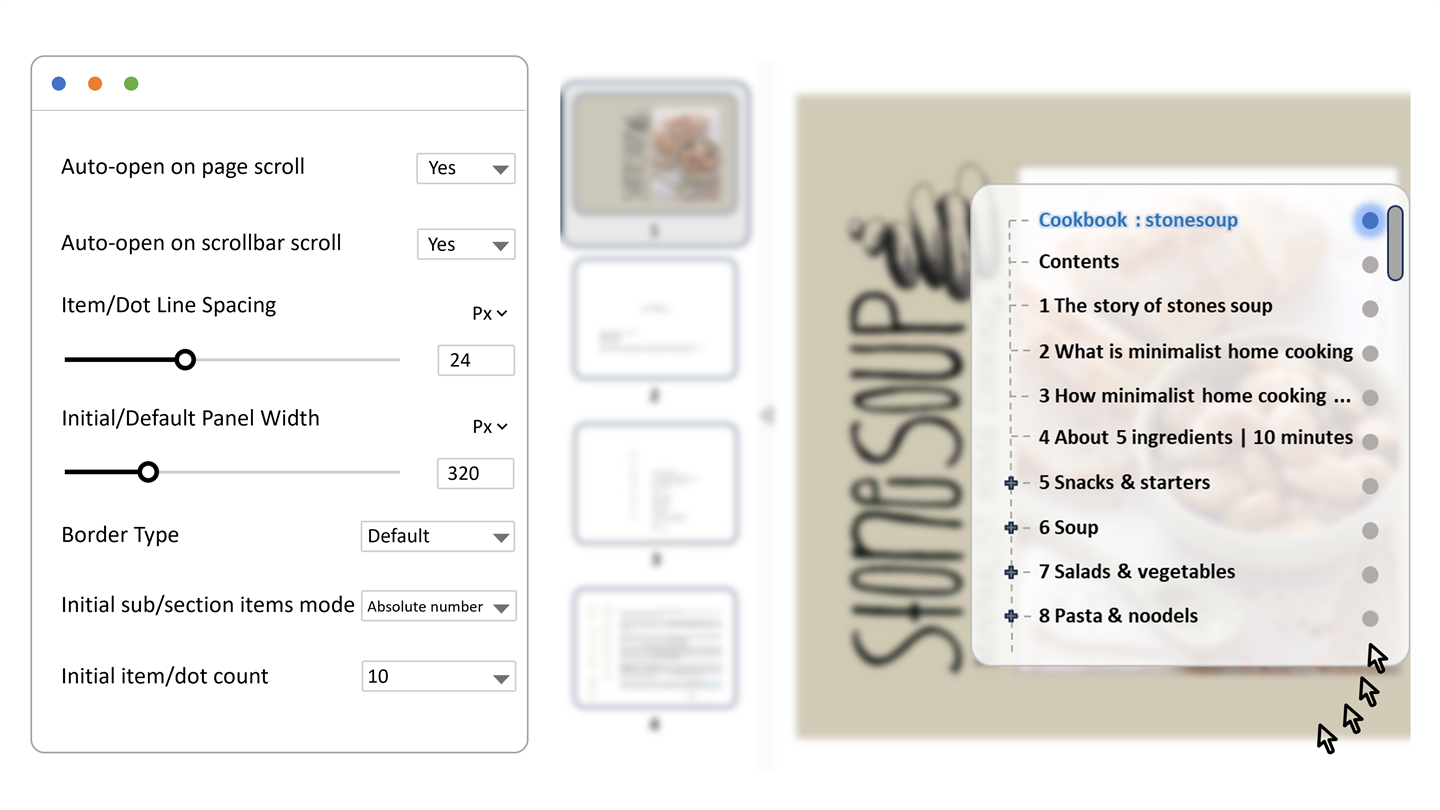
Give long PDFs a navigation panel that feels made for reading.
Thumbnails, bookmarks, search, page jumping, drag-to-resize panels, and quiet auto-hide controls help readers move around without losing their place.
Controlled viewing
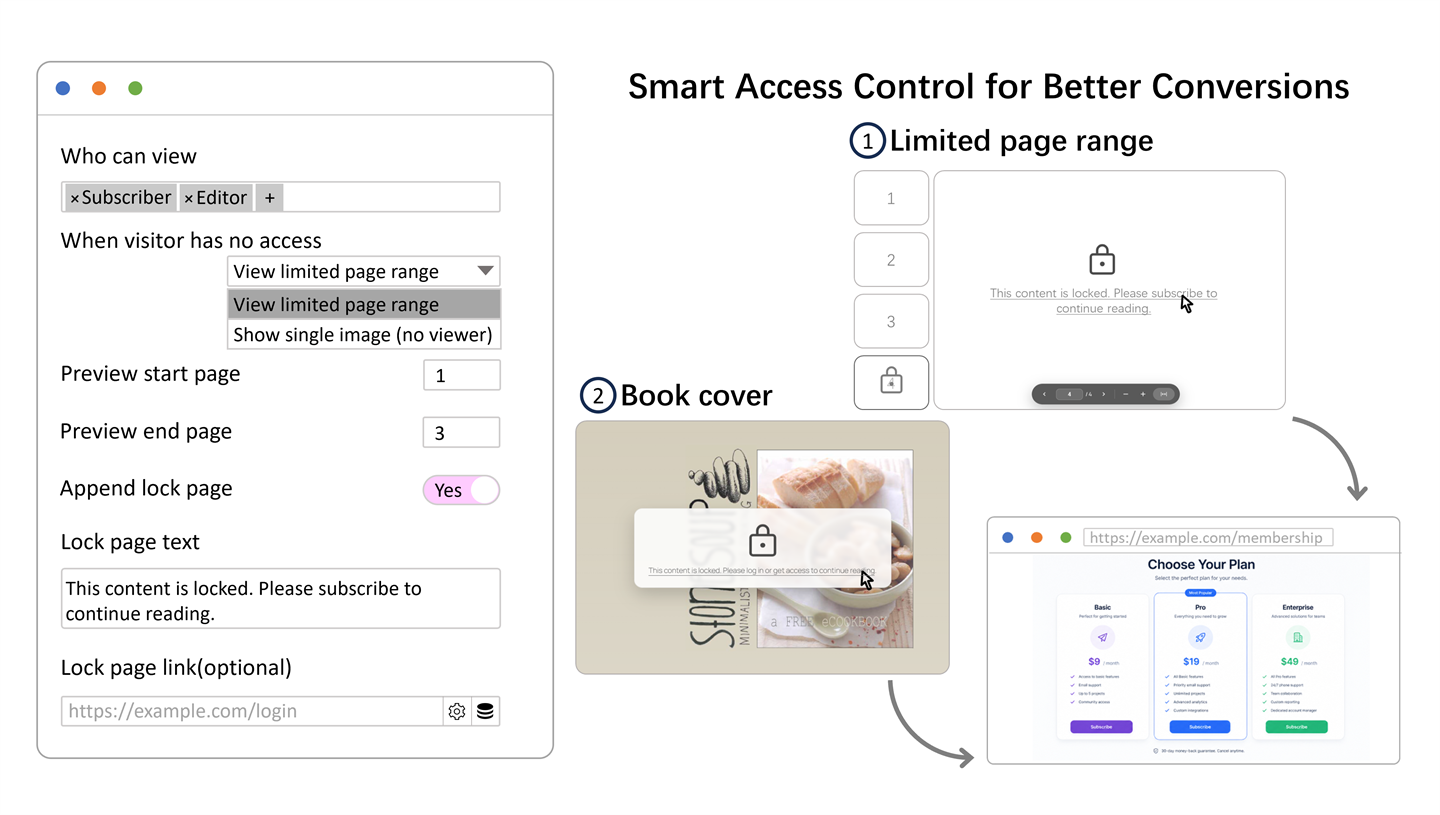
Show the right viewing experience to each visitor.
Built-in access rules and advanced fallbacks let you offer limited previews, lock screens, placeholder images, or protected page previews when the full file should stay restricted.
Controlled downloads
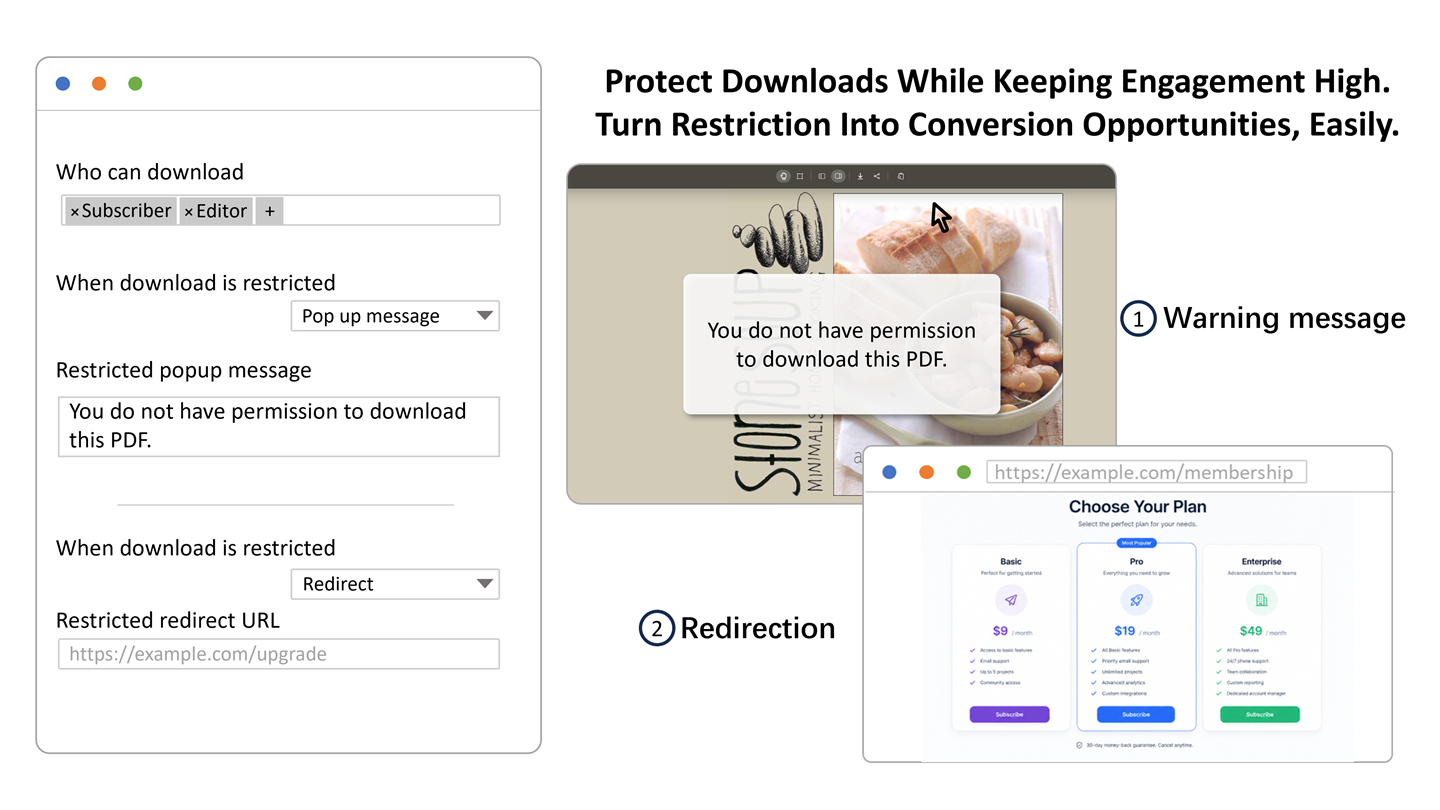
Let people read on-page while keeping downloads guarded.
Set download access separately from viewing, then guide restricted visitors with a friendly message or redirect instead of a dead end.
Commerce + memberships
Turn purchases and memberships into controlled PDF access.
Restrict viewing and downloads through EDD purchases, subscriptions, or All Access passes; WooCommerce purchases, download permissions, or memberships; and active MemberPress memberships.
Usage visibility
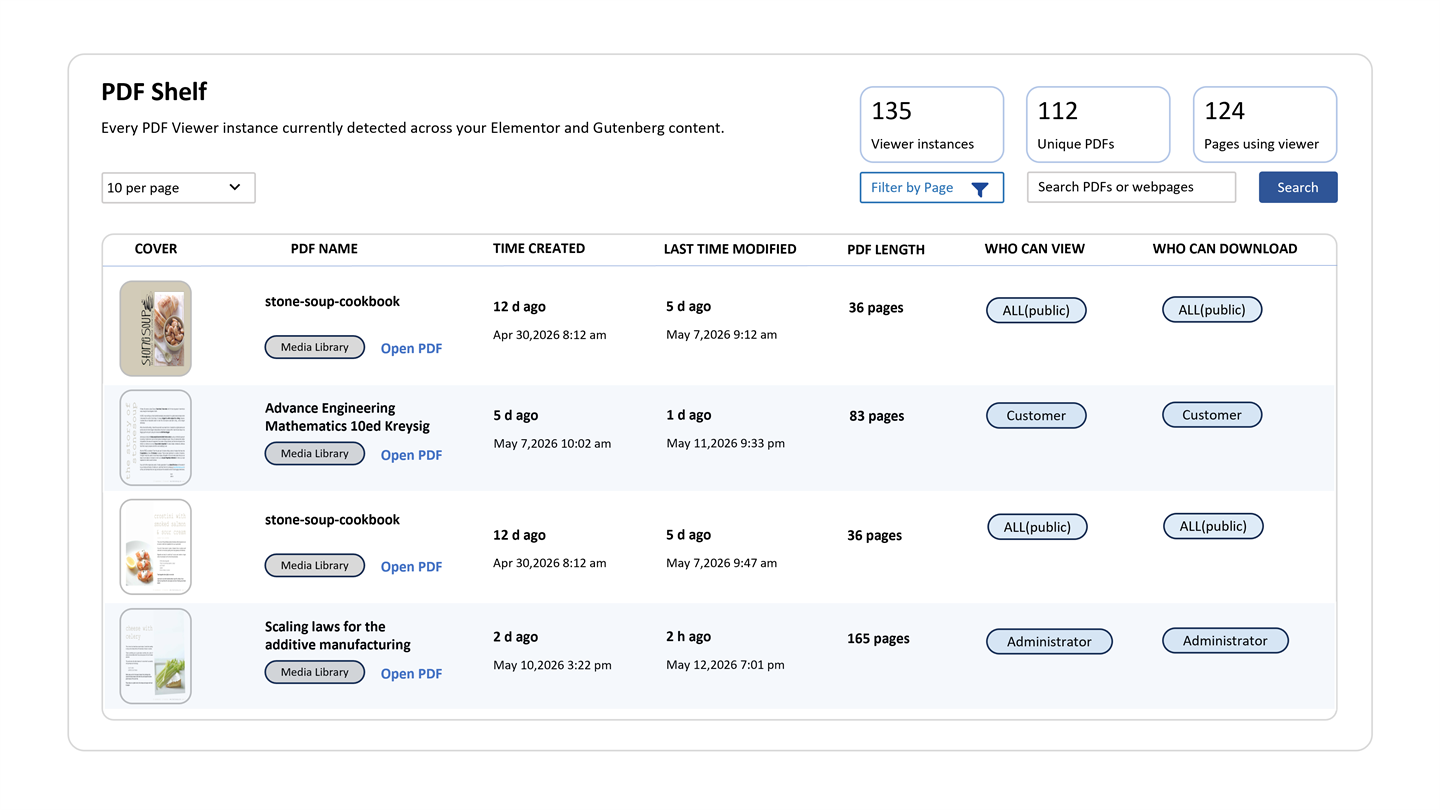
Know where every PDF appears before you change it.
PDF Shelf helps you organize documents across pages, blocks, and Elementor layouts, so managing your PDF library stays clear and efficient.
Elementor + Block Editor
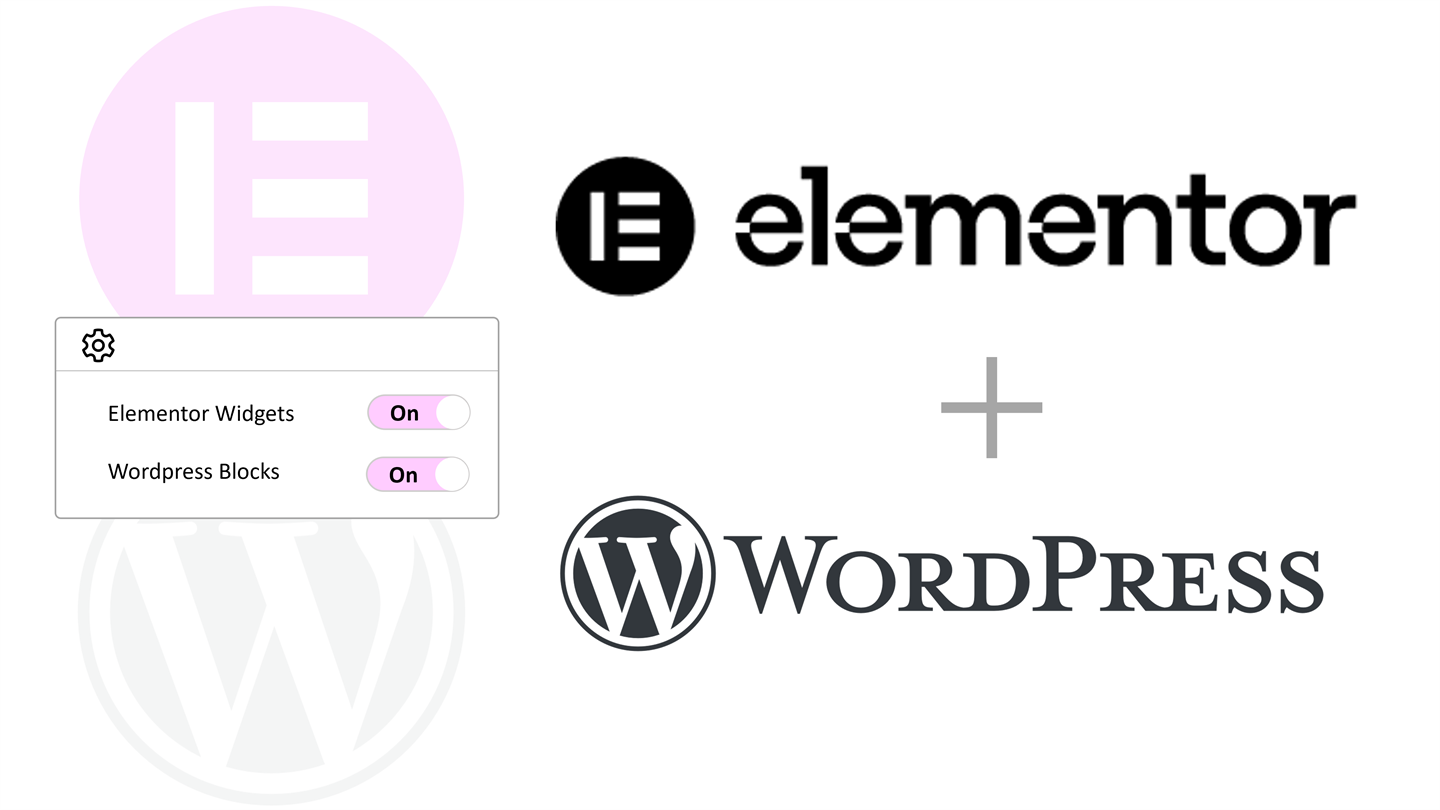
Support both Elementor and the block editor with one-click turn-on.
Enable the PDF viewer from Elementor widgets or WordPress blocks, so teams can keep their preferred editor and publish polished document sections faster.
Longer reading sessions
with smoother navigation
Keep visitors focused with thumbnails, bookmarks, search, zoom, and fit controls built for fast in-page reading.
Stronger access control
for viewing and downloads
Set role-aware viewing and download rules, then use previews, lock states, and redirects to protect premium documents.
Organized PDF operations
with PDF Shelf visibility
See exactly where files are used across your site so updates, replacements, and content planning stay clean and organized.
Main Benefits
What this plugin helps you do.
The focus here is on outcomes: better viewing, easier reading, stronger trust, and clearer support for growth.
On-page Reader
Give documents a cleaner reading experience.
Readers can move through pages, zoom in, and stay focused without leaving your site.
Navigation
Make long files feel easier to use.
Search, thumbnails, and bookmarks help people reach the right section faster.
Access Control
Choose who can open and who can download.
Useful when documents are part of a client area, member area, course, or paid offer.
Protected Delivery
Add stronger protection to important PDFs.
When files live in the WordPress Media Library, the plugin can enforce safer delivery rules.
Preview Limits
Show a preview when full access is part of the offer.
Great for lead magnets, member areas, courses, or paid downloads where you want to tease the value first.
Admin Tools
Keep track of PDFs across the site.
Use the admin dashboard to find where documents live before you edit, replace, or remove them.
Good to Know
A few helpful checks before you go live.
Compatibility
Works well with
- WordPress 6.0+
- PHP 7.4+
- WordPress editor supported
- Elementor optional
Friendly Setup Notes
Small things worth knowing
- Install the PDF.js build files once before publishing, otherwise the viewer will show an error instead of the document.
- Media Library PDFs are the best source when you need signed delivery, role-aware viewing rules, and protected downloads.
- External PDF links can still be displayed, but they cannot use the same protected-delivery path.
- Protected preview images need Imagick with PDF support, so keep a friendly lock screen or limited preview ready as a fallback.
Questions
Frequently asked questions.
Is it only for technical manuals?
No. It also works well for proposals, onboarding guides, brochures, member resources, and premium downloads.
When does file protection work best?
The strongest protection path works when the PDF comes from the WordPress Media Library.
Can I separate viewing and downloading?
Yes. You can allow reading while limiting download access, which is useful for gated or paid content.
Do I need Elementor to use PDF Viewer Nova?
No. PDF Viewer Nova supports the WordPress editor, and Elementor is only needed if you want to use the Elementor widget.
Can visitors search inside long PDFs?
Yes. The reader is designed for longer files with navigation features such as search, thumbnails, bookmarks, page jumping, zoom, and fit controls.
What happens when a visitor does not have access?
You can use restricted previews, lock states, placeholder images, friendly messages, or redirects so the page still feels intentional instead of broken.
Can it help me manage a large PDF library?
Yes. PDF Shelf helps you see where PDFs are used across the site before you edit, replace, or remove a file.
Can external PDF links be protected the same way?
External PDF links can be displayed, but the strongest protection and delivery controls work best with PDFs stored in the WordPress Media Library.
Get Started
Launch a cleaner PDF experience with the control serious content needs.
Start with smoother on-page reading, then add viewing rules, download control, and protected delivery as your document library grows.