
Product image analytics can feel minor until you realize how much buying intent lives inside the gallery.
A visitor who opens the same product angle twice, zooms into texture, or spends time comparing close-ups is telling you something. They may be checking quality, compatibility, finish, scale, or proof that the product matches the promise.
Track interaction, not vanity
Page views tell you that someone arrived. Image engagement tells you what they inspected after arriving. That difference matters because galleries often carry the details that product descriptions cannot fully communicate.
Useful signals include image opens, time spent in the viewer, repeated views, product pages with the highest image activity, and images that receive little attention even when they are placed early.
- Which image earns the first open?
- Which close-up keeps people viewing the longest?
- Which products get lots of page views but little image activity?
- Which ignored image could be replaced with a more useful angle?
| Signal | Possible action |
|---|---|
| One detail image gets many opens | Move it earlier in the gallery or add a caption. |
| A product gets views but little image activity | Check whether the gallery is visible and useful enough. |
| Visitors zoom heavily before buying | Add more close-up photos for similar products. |
| A featured image gets ignored | Replace it with a more informative angle. |
Connect image activity to real page questions
The goal is not to collect data for its own sake. The goal is to answer better questions. Which product details create interest? Which images reduce hesitation? Which angles should be repeated across the catalog? Which products need a better visual story?
These questions are especially useful for stores with high-consideration products. When the buyer needs trust, visual behavior becomes a practical source of insight.
Use analytics to improve the next shoot
Image engagement can guide photography planning. If texture close-ups perform well, shoot them for more products. If packaging images matter, standardize them. If scale shots help, include a consistent reference item or model view.
Turn the data into one change
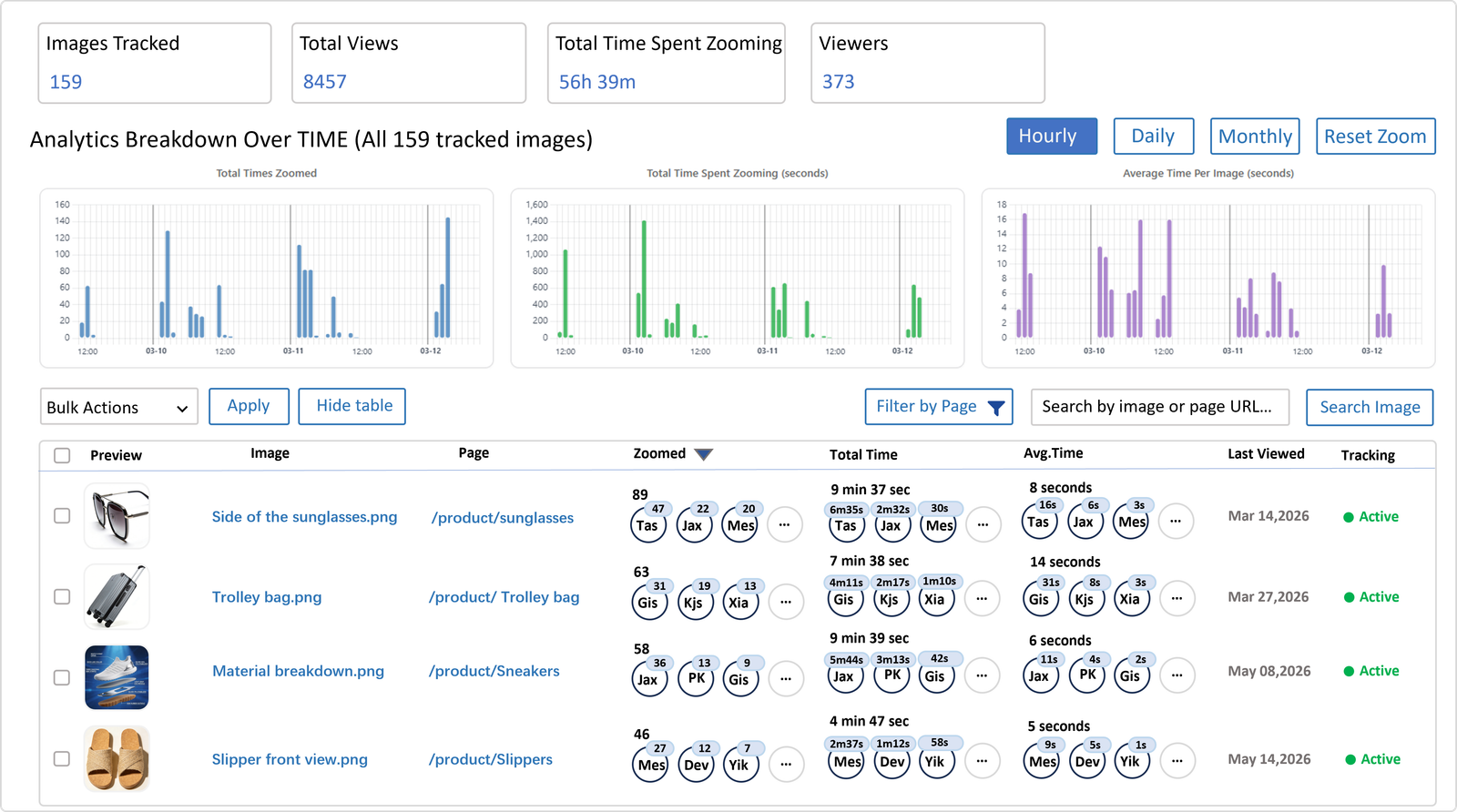
Essentia Image Zoom combines a polished image viewer with image insight, so the next step can be specific: move one image, reshoot one angle, update one caption, or repeat one winning close-up pattern across similar products.
The product demos show the viewing experience, while the analytics angle is where the gallery starts becoming a source of better decisions.