
A WordPress document library can become messy faster than expected.
A few PDFs turn into dozens. Manuals, worksheets, proposals, policies, reports, and resource files spread across pages. Then someone needs to replace a file, protect a download, or find every page where a PDF appears.
Organize by reader task
The best document library structure starts with the reader. Are they looking for a product manual, a training guide, a policy, a client resource, or a downloadable template? Grouping files by task is usually clearer than grouping them only by upload date.
Add short descriptions when the file title alone is not enough. A document library should help people choose the right file before they open it.
| Library need | Practical improvement |
|---|---|
| Many similar PDFs | Use categories, plain names, and short descriptions. |
| Long documents | Provide on-page viewing with search and thumbnails. |
| Restricted files | Separate preview, viewing, and download rules. |
| Frequent updates | Track where files are used before replacing them. |
| Mobile readers | Test the viewer on a real phone before publishing. |
Make documents readable before downloadable
A document library should not force every visitor to download a file just to check whether it is useful. On-page viewing lets people skim, search, and confirm relevance first.
Download can still be available when it makes sense. The key is giving readers a choice instead of making download the only path.
Admin visibility prevents broken experiences
Before replacing or deleting a PDF, you need to know where it appears. Without that visibility, an innocent file update can break resource pages, onboarding flows, product pages, or member content.
- Name files so humans can identify them later.
- Group documents by reader task or customer journey stage.
- Preview important PDFs on the page before asking for a download.
- Check where a file is used before replacing it.
- Test restricted files with the same roles your visitors will use.
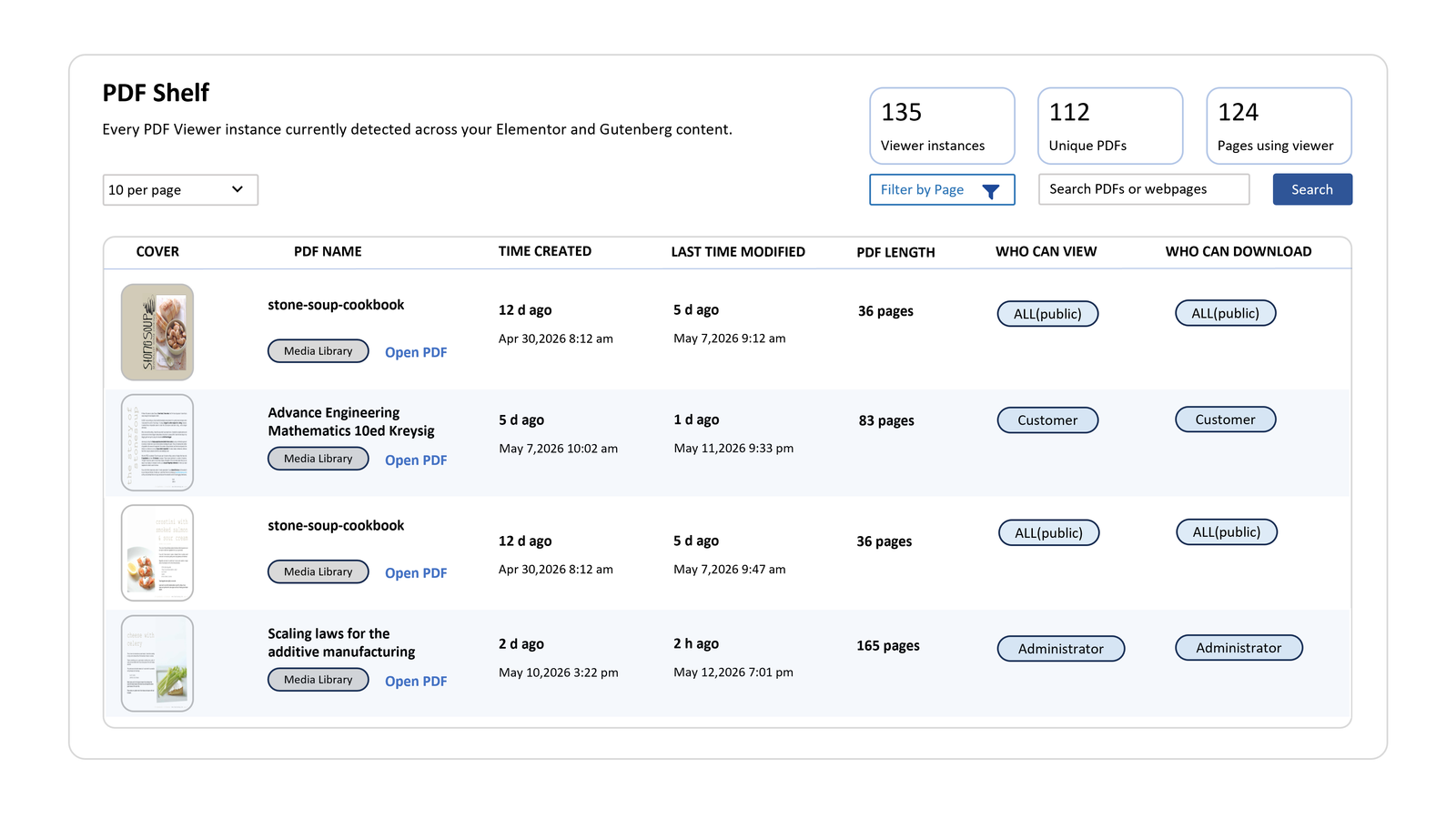
Plan for the maintenance days
PDF Viewer Nova supports document libraries that need on-page reading, navigation, access control, download rules, and PDF Shelf visibility. That last piece matters when the library grows and someone has to update files without breaking pages.
A better document library does not only store files. It helps people find, read, trust, and manage them.