
A product image has a quiet job. It has to answer the questions a shopper does not want to type into a support form.
What does the texture look like? How sharp is the edge? Is the finish matte or glossy? Can I see the connector, stitching, label, engraving, seam, grain, or tiny detail that tells me this is the right item?
That is why image zoom matters in WooCommerce. A product gallery is not just decoration. For many stores, it is part of the buying conversation.
Start with the buying moment
The best image zoom plugin is not always the one with the longest settings page. It is the one that helps the shopper make a decision with less doubt.
A jewelry store needs close inspection. A camera store needs lens, button, and body detail. A furniture store needs fabric texture and scale. An art store needs brushwork and surface quality. In each case, the visitor is trying to reduce uncertainty before buying.
So the first question is simple: what detail does the customer need to inspect before they feel ready?
What a good WooCommerce image zoom plugin should include
Good zoom feels almost invisible. The customer clicks, opens the image, moves around, studies the detail, and returns to the page without feeling like they entered a different website.
| Feature | Why it matters |
|---|---|
| Click-to-open viewing | It gives shoppers a familiar way to inspect larger images without hunting for controls. |
| Smooth zoom and pan | It keeps detail inspection comfortable instead of jumpy or frustrating. |
| Gallery navigation | It lets shoppers compare multiple product angles without closing the viewer each time. |
| Minimap and percentage feedback | It helps visitors understand where they are inside a large image and how far they have zoomed. |
| Mobile-friendly behavior | It protects the buying experience for visitors who shop from phones. |
| Optional analytics | It helps store owners learn which images are actually attracting attention. |
Native zoom is sometimes enough
WooCommerce themes often include a basic zoom or lightbox experience. For simple products, that might be fine. If the product is easy to understand from a single image, adding a more advanced viewer may not be urgent.
The need changes when image detail affects trust. If a shopper needs to inspect a product closely, compare angles, or study finish quality, a basic hover zoom can start to feel limited. Hover also does not translate cleanly to touch devices, where many purchase decisions happen now.
The viewer should stay out of the way
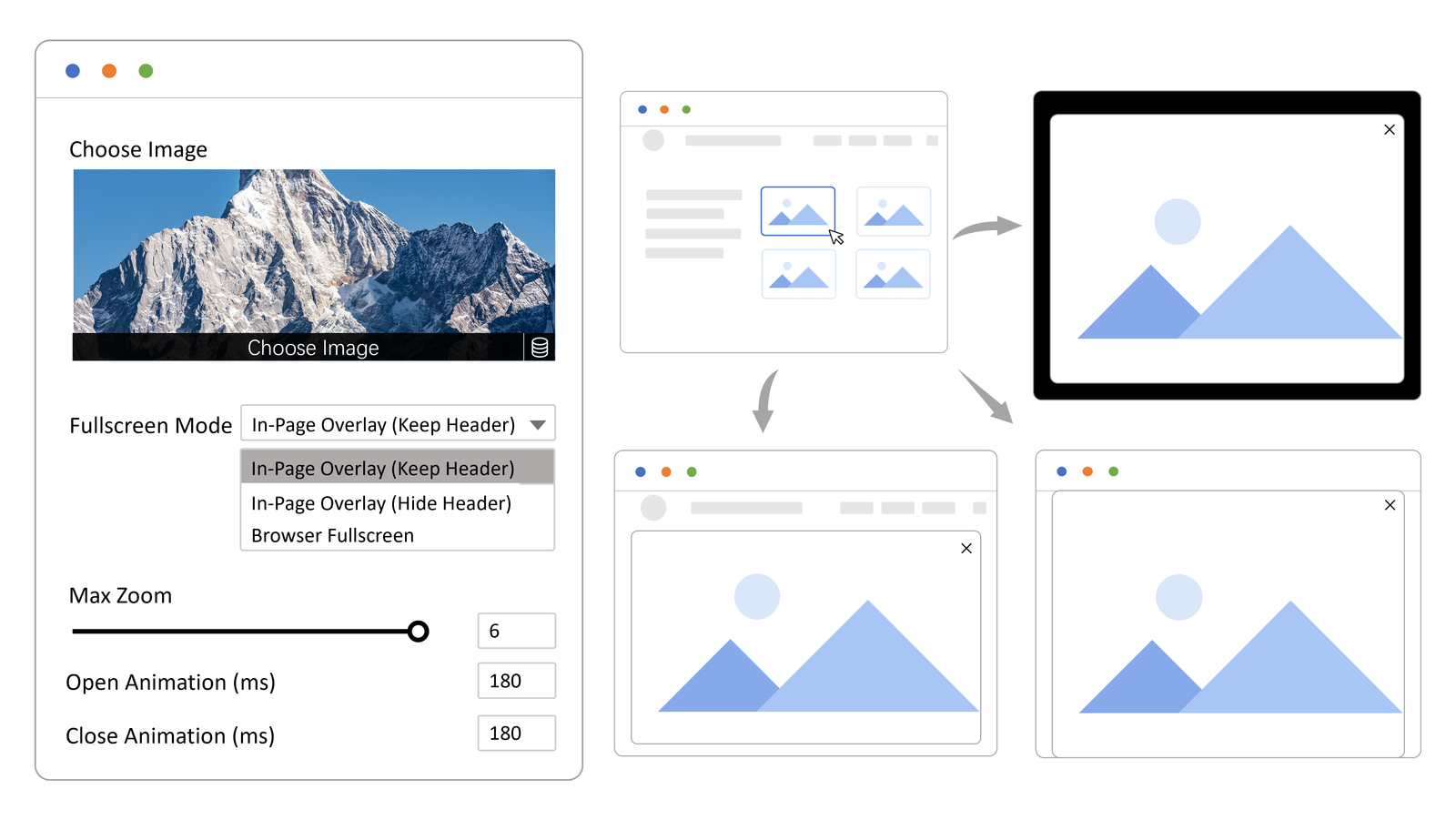
A dedicated image viewer should not cover the product with permanent controls. It should help when the shopper interacts, then settle down when they stop. Small details like fading controls, a clean zoom badge, and a minimap that does not dominate the image can make the experience feel more premium.
The overlooked feature is image analytics
Zoom is useful for the shopper. Analytics are useful for the store owner.
If one product image gets opened again and again, that image may be doing important sales work. If another image is ignored, it may be the wrong angle, too generic, or less helpful than expected. Over time, image activity can show which visuals deserve better placement, stronger captions, or a reshoot.
This is where a product gallery becomes more than a nice design detail. It becomes a source of buyer intent.
What to test before choosing a plugin
- Open the viewer on a real product page, not only a demo page.
- Test phone, tablet, and desktop behavior before deciding.
- Check whether the controls feel clear when zoomed far into an image.
- Make sure the gallery flow does not pull people away from the add-to-cart area.
- Review whether the plugin gives you any useful image engagement data.
Where Essentia Image Zoom fits
If your WooCommerce store relies on visual detail, Essentia Image Zoom is built for that exact situation. It gives visitors a classic click-to-open zoom experience with smooth pan, fullscreen viewing, a minimap, zoom percentage feedback, right-click deterrence settings with signed proxy delivery, and WooCommerce-ready gallery support.
The bigger advantage is that it can also support image insight. Instead of guessing which visuals matter, you can start learning which images visitors open and spend time with. You can explore the demos from the product page and decide whether that kind of viewing flow fits your store.
A better product image is a better sales conversation
Image zoom will not fix weak photography, unclear pricing, or a confusing offer. But when the product is strong and the detail matters, better viewing can remove friction at the exact moment a shopper is deciding.
That is the real reason to care about WooCommerce image zoom in 2026. It helps people look closer before they buy.